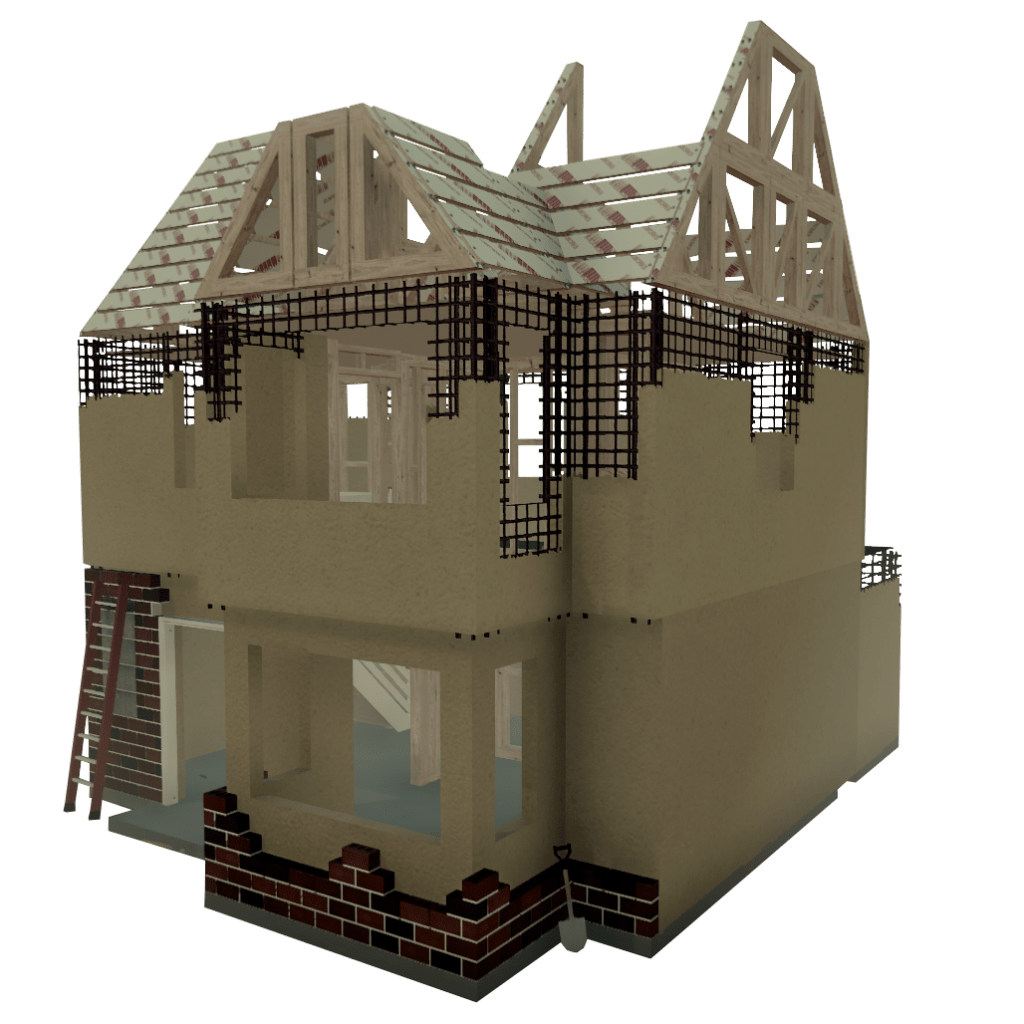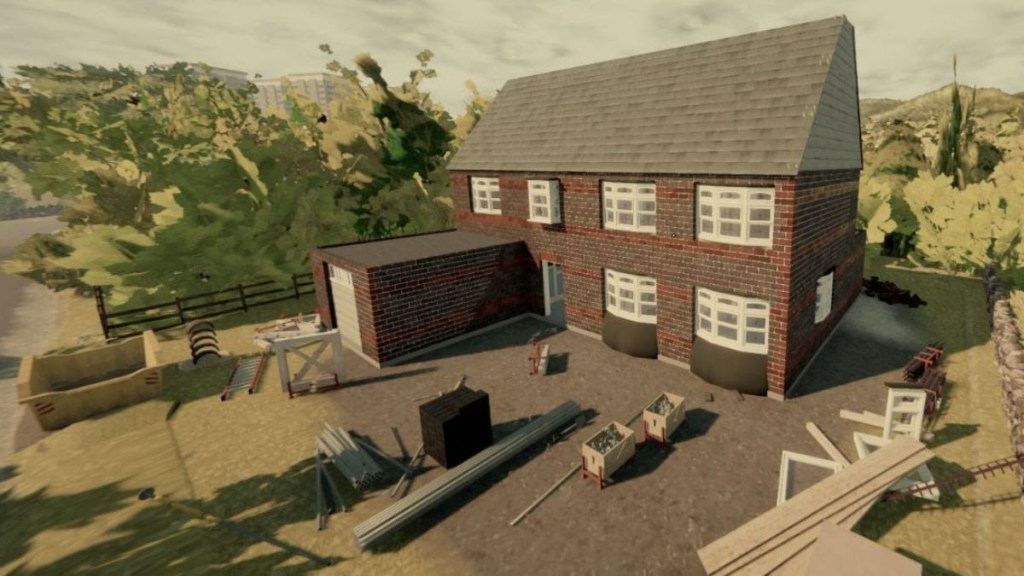
LUCse_MENSEN showing that brick builds can be done.

Month 23 of Landlord’s Super Early Access.

After hitting our latest milestone, we spent the past month between working on the Traditional Furniture & Tenant Update, and attending the Game Developer Conference in San Francisco. Let’s take a look at what we’ve worked on and what we’ve learned.

The Quintessential Construction Simulator

New Furniture

We’re well into Phase 1 of the current roadmap, meaning work on the Traditional Furniture & Tenant Update is underway. 

Most of the traditional furniture has been modelled, textured and hooked up into the game. Though we still need to set up the new furniture catalogue, create the new tenant and design and implement logic regarding furniture unlocks, and tenant tiers.  

No dates as for when this stuff hits either InDev or Main Branch yet, but we’re excited to get more build freedom into players hands soon!

New Furniture

Yes, Landlord’s Super now has Mods! 

All credit goes to Moojuiceman over on the Minskworks Discord for these. Details from them below:

How to install mods: You will need BepInEx 5, which you can get from github. Here is a direct link to the 64-bit version of 5.4.19 which works with the game https://github.com/BepInEx/BepInEx/releases/download/v5.4.19/BepInEx_x64_5.4.19.0.zip Unzip the contents into your Landlord’s Super game folder, next to the LandlordsSuper.exe. You can find it via Steam by right clicking the game > Manage > Browse local files, or by clicking “Streaming Assets” from the game’s main menu then going up a folder. Start the game once so BepInEx creates all the necessary files and folders. You can then download any of these mods and put the .dll file into the BepInEx\plugins folder. Some mods have configurable options, these are stored in BepInEx\config\<Modname>.cfg IMPORTANT: Since the game is still in development, some mods might change or break with updates. Also since these alter how the game works, any bugs might be due to the mods and shouldn’t be reported to bug-reports unless confirmed to also be present when playing without mods. You can report suspected mod bugs over on the discord.

None of my mods should affect save files, but as a precaution it’s wise to backup your save files anyway. They can also be useful for developers to debug issues, both with mods and the main game. To backup saves: From inside the main menu of the game, click “Save Data” to open the save folder. Make a copy of the “LandlordsSuper” folder, either to another location or as a new folder name in the same place.

To backup saves:
From inside the main menu of the game, click “Save Data” to open the save folder. Make a copy of the “LandlordsSuper” folder, either to another location or as a new folder name in the same place.

Name: Better Wheel Barrow
Functions: While moving the wheelbarrow, you can hold the alt fire button (default right mouse) to dump the contents. This restores physics to the cargo (like when you stop moving it), and tilts the front down a lot. You can then walk backwards to remove the wheelbarrow and leave the contents there. You can also pick up multi-stack items (bricks/shingles/tarred roof planks) from the barrow by holding the run button (default Shift). If you don’t hold it, the default behaviour of re-placing the item you just picked up remains. With it held, the hovering blue indicator won’t appear and you can take multiple items like you can from the ground.

Download here : BetterWheelBarrow.dll

Name: Strongman
Functions: Allows you to increase the amount of multi-stack items (bricks/shingles/tarred roof planks) you can hold, and the amount of weight you can carry without losing your ability to sprint and jump, or losing hygiene when picking/placing heavy items.
Config options: Max Shingles (also used by tarred roof planks), Max Bricks, Weight Limit

Download here :Strongman.dll

Name: Site Cleaner
Functions: Adds keybinds for cleaning tools and materials from the build site, as happens when someone moves in.
Config options: Clean Tools Key, Clean Materials Key

Download here : Sitecleaner.dll

Name: Xray
Functions: Adds a keybind to toggle visibility of the currently held item. Useful to see where you’re going when carrying large items.
Config options: Toggle Key

Download here : Xray.dll

Name: Express Delivery
Functions: Makes Winston teleport from the store to your house and back again instead of driving. No more waiting for items to arrive or being able to use the shop again (and no more driving mishaps)

Download here : ExpressDelivery.dll

Name: Shifty Shingles
Functions:
 Adds a “left align” option to shingles. When placing shingles, right click to toggle between centre, right align, and left align

Download here :ShiftyShingless.dll

Remember!
Join the discord to support Moojuiceman’s work, report any issues and follow all the new mods and updates. 

GDC

We spent a significant portion of last month over at the Game Developer Conference in San Francisco.

We spoke to many other developers and publishers trying to learn as much as we could about how to make and sell games in 2022. Our goal was to try to understand what we could be doing better to extend the dev life of Landlord’s Super, and how we could get better awareness of the game. We really think the game deserves the moniker of being the Quintessential Construction Simulator, and we’re committed to building a game to reflect that. 

Expect to see us trying new things, and asking our communities input on this in the near future. This is going to be a big year for the game, our studio and the community. 

Community Highlights

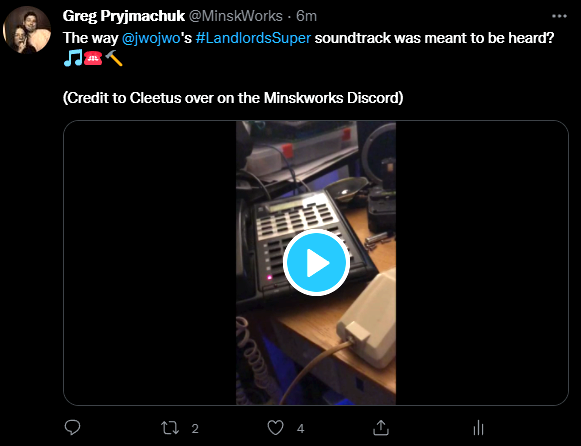
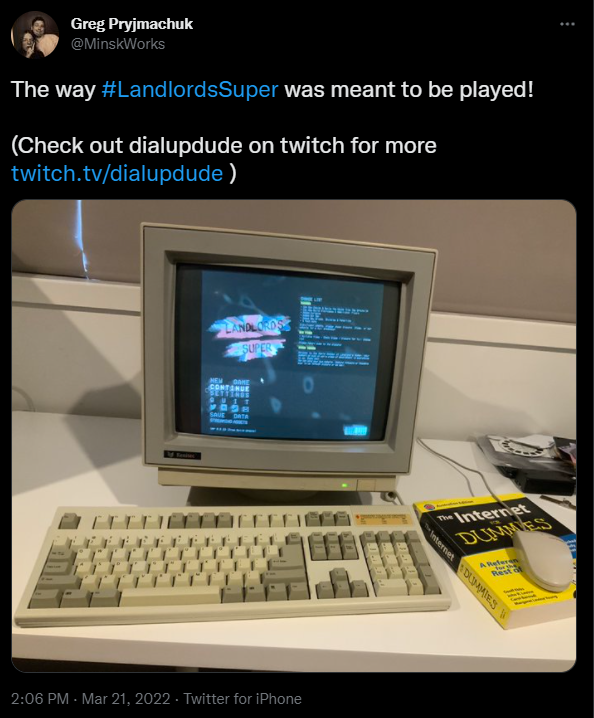
Special thanks to Moojuiceman for the modding support, but also shout outs to Dialupdude showing us the way Landlord’s was meant to be played (Check out dialupdude on twitch for more https://twitch.tv/dialupdude ) and Cleetus for showing us how the soundtrack was meant to be heard.
New Roadmap!

Month 22 of Landlord’s Super Early Access.

With the Free Build update released and behind us, it’s time to take a look at what’s next for Landlord’s Super.

The Quintessential Construction Simulator

New Roadmap

With the Free Build update released, the 2021 / 2022 roadmap is now complete. Though Early Access isn’t over yet. Let’s see what the road towards 1.0 looks like, with the new Early Access Roadmap for 2022.

Phase 1 will see us adding in additional furniture and tenant classes. These tenant classes will provide better rental income, be less raucous and also provide access to additional furniture catalogues.

Phase 2 will see the introduction of power tools and better energy management. Allowing players to get much more done throughout the day.

Phase 3 will then focus on introducing all the elements we need to get the game into full release. This includes an end-game state, localisation, achievements and accessibility options. 

Please keep in mind that once we hit 1.0, we may continue to update the game with additional features but that this will be entirely dependent on the sales life of the game.

Ukraine

While we’re giving what we can and are sure you’re well aware of the ongoing situation in Ukraine, we’d still like to ask you to consider helping through any of the following methods. 

Help Children of War in Ukraine:
https://voices.org.ua/en/

Petition: Waive visa requirements for Ukrainian refugees:
https://petition.parliament.uk/petitions/609530

Russia-UkraineCrisis/War: Info and ways to help:
https://ukrainewar.carrd.co/?fbclid=IwAR2uI4YOERnGabMXKJNhFRPk54_fRK5vqSvFJiKOKNPbZLLCYQI5FcXz9x4

Thank you.

We’re delighted in presenting you with the Free Build update for Landlord’s Super.
Available on Steam Early Access Now.

The Quintessential Construction Simulator

THE FREE BUILD UPDATE NOW AVAILABLE

We’re delighted to announce that access to the Free Build update for Landlord’s super is now available on Steam Early Access. If you have Landlord’s Super already purchased and downloaded on Steam, your game will automatically update. For everyone else, you can purchase Landlord’s Super Early Access here.

The Free Build Update marks our arrival at Version 0.6, and is our biggest single content drop so far. The Free Build dramatically enhances the construction gameplay, and finally allows players to design and build their house from the ground up. Stairs allow players to build multiple floors to their property. Buy, sell properties, and even trade their constructions with other players. Utilise more varieties of windows, doors, bricks and shingles. We’ve even improved the visuals and performance. There has never been a better time to jump back into the quintessential construction experience.

Overview & full patch notes below:

FREE BUILD

Knockdown the walls of your home and redesign the layout. Design and build the layout of your dream home!

STAIRCASES AND ADDITIONAL FLOORS

Install staircases to access additional floors in your home. Up the wooden hill, son! 

BUYING, SELLING & TRADING PROPERTY

Sell your constructions for profit. Purchase other players constructions. Work on other players properties by trading them through the community.

HOT BAR

Enhanced interaction options for certain tool and objects. Just hold RMB!

NEW WINDOWS, DOORS, BRICKS, SHINGLES

Many new styles and colours for you to express your creative side with. 

CURTAINS

Finally, privacy!

BALANCE & QUALITY OF LIFE CHANGES

Completely revamped roofing, including shingle snapping to grid. Better balanced energy, for longer working days. Increased rental & sell prices. Properties now susceptible to price inflation!

BUG FIXES & MUCH MORE

Hundreds of fixes, optimisations and content changes to discover.

CHANGE LIST

Landlord's Super 0.6 Update (The Free Build Update)
 

0.06.07

Fixed more instances of missing materials (pink renders)
Fixed brick placement at Tamsin Wall
Lout now continues looking for a job in the pub when not in the job centre
Can no longer drink Ronnies pint of Doyle
Fixed TV settings option usability 
Should no longer be able to pick up deliveries with bare hands#
Fixed issue with purchasing properties that have doorless front doors
Fixed issue where having no ceiling would cause property value to fall to zero
0.06.06

Fixed TV settings UI options
Increased LOD distances for various objects
Fixed Small-Medium window not being placeable on No-Fines
Pint glasses now break easily again
Rewrote Doyle & Landlords liquid shader to solve render issue
Added lintels to windows (can now place bricks atop windows)
Added lintels to doors (can now place bricks atop doors)
Reworked brick placement to snap to specific heights to prevent uneven bricks
0.06.04 

Added Video Option settings “Target Frame Rate”. Can now set the game to limit FPS to between 24 and 240 frames per second
Fixed up silo dispensers art.
Global Fog re-enabled
Fixed brick_1_05 displaying graphical error (Brick patterned displayed issue)
Fixed potential issue where No-Fines couldn’t be added to Roof Frame size 3
Optimisation pass - Added a lot of LODs to the building elements. This should increase frames while in town.
Fixed some instances of transparency lacking depth values within fog
lowered the distance the backfire noise from rusty cars can travel
LOD distances are no longer changed with graphical setting changes
Muffled Phone engaged audio vocals
Fixed issue where Roof frames could become stuck even if all nails were removed
Fixed issue where couldn’t split shingle in two if placed on roof
Shingles snapping halved for better allocation
Fixed issue where Winston could stop making deliveries
Unsecured fixtures of sold / demolished housing will now fall to the ground instead of float in place
Fixed missing nail on one of the starting roof planks
0.06.03

Fixed issue where removing nails not connected to wood planks could still dislodge them
Fixed annoying UX issue where couldn’t place plank down if clicking on another plank
Fixed issue where placing wood plank could have the plank stuck in your hands
Fixed issue where Trowel wouldn’t pick up mortar from storage buckets if player had full No-Fines
Fixed issue where Foundation task wouldn’t complete
Fixed issue where painted walls could cause house purchasing to fail
Fixed issue with save / loading shingles
Note : Game has been ported to a newer version of Unity. Keep an eye out for any visual issues!

0.06.02

Fixed issue where roof planks couldn’t be placed
0.06.01

Added some foliage to beyond the Railway bridge
Occlusion culling pass that should fix some graphical issues (needs further experimentation, I’m aware it’s not perfect)
Fixed several functionality issues that occurred after purchasing a property
Carpet, furniture and plasterboard should no longer block stair placement.
Dropping items should no longer damage the property, though throwing them at max strength should still cause damage
Fixed aggregate pricing UI mis-match issue
Added a scrap value to the starting scrap fences and boulders on the site
Much improved rain effects, including world wetness and cars now kicking up water and snow when in motion
T will now debug remove / replace site hoarding
Door holding positions changed to give better vision during placement
Pallet holding positions changed to give better vision during placement
Added metallic maps to several objects in the game - take note if something seems too shiny!
“Bowels” changed to “Bladder” in the UI - likely means no poopy feature coming, sorry
New Window close audio
Reworked how the pallet truck functions so that is should be a lot more accurate and reliable in picking up deliveries
Fixed an issue where pallet truck could causes No-Fines frames to render editor elements
Fixed some inaccuracy in Foundation task checks
Non-connected No-Fines Frames no longer counted to No-Fines task check
Should no longer be able to place No-Fines outside of the site
Fixed toilets colours not applying to the flusher part
Fixed placement issues with showers
0.05.15 

Can now sell properties to the Council (use Mitchell Catalogue)
Can now purchase properties from the Council (use Mitchell Catalogue)
Players can swap save files with one another to load properties into their own game, allowing players to share their creations, or send houses for other players to fix.
Fixed several dialogues mentioning the old roofing system
Improvements to rain collisions should prevent rain appearing indoors
Bedroom Drawers now have correct open / close audios
Curtains now have correct open / close audios
Caravan toilet & shower doors now have correct open / close audios
Fixed red toilet seat mesh loading incorrectly
Fixed Silo purchase costs being set incorrectly
Fixed furniture duplicating after having Mitchell demolish the site
Fixed Roof Plank starting position on rear of house
Better camera angle for house photo generation
Fixed tenants not damaging player placed No-Fines walls
Added commas to high values and dynamic values for better readability
Fixed hole in road near Mitchell’s office
Fixed valuation bug where unfinished properties didn’t have correct valuation penalties applied
Fixed Shingles not adding value to the property
Fixed issue where picking up Shingles wouldn’t remove their value from property 
Fixed carpet, tiles and roofing tar lowering the value of the property
Fixed a bunch of mortar mesh issues to make mortar look more uniform on bricks
Fixed crash caused by tenants trying to damage bricks on properties that didn’t have any
Tenants now damage other parts of the house if they can’t find any shingles on the house
Tenants now damage other parts of the house if the can’t find any plasterboard on the house
New Tenant Damage chances (15% damage floors, 15% to damage No Fines, 10% damage brickwork, 5% chance to damage roofing, 40% chance damage furniture, 15% damage interior walls, with various fallbacks if any are not available to be damaged)
Tenants can now damage furniture, but should never be able to destroy their Bed or Sofa.
Tenants can now damage curtains
Added House price inflation
House price inflation is added per month and is historically accurate (reference West Midlands, government Land Registry https://landregistry.data.gov.uk/app/ukhpi/browse?from=1983-01-01&location=http%3A%2F%2Flandregistry.data.gov.uk%2Fid%2Fregion%2Fwest-midlands-region&to=2018-03-01&lang=en) up until the year 2008, where it will increase at a whopping 1% per season ad infinitum (constant housing growth what could go wrong!?)
No consumer price inflation or wage inflation has been added yet, so this could get weird.
Fixed Current Sell Profit Notebook listing NaN issue
Fixed 2 instances of the word “convenience” being misspelled 
Fixed issue where too much scrap would spawn upon destroying furniture
Fixed issue where having Ronnie search for tools wouldn’t unlock the mouse cursor
Fixed issue where plasterboard placement could sometimes be blocked by No-Fines frames
Changed how Painted surfaces are saved, in order to be able to save them when selling properties. This will unfortunately mean previous painted saves will be lost. 
Fixed Kashmiran line “You’re payment” to “Your payment”
Fixed a few visual issues related to doors
Fixed pathing for traffic to prevent them from mounting the curb when turning outside Mitchells
Mitchell Demolish site option now also demolishes furniture 
0.05.13

Fixed issue where players couldn’t drop items from their hands after sleeping
Fixed Tenant sat outside property / knocking on door with no answer issue
Fixed Players getting trapped in the house if they knocked on a door that was installed back to front
Fixed players getting trapped in the house if the ran through the door after conversation with tenant ended
Fixed issue where upgrading Silo wouldn’t increase strength till players loaded back into their game
Fixed issue where players could sometimes not fit roof planks into smaller gaps
0.05.12

Fixed Functional tall (0.6m) window screw loose position
Fixed a save load corruption caused by wood
Can now change the colour of Mortar (muck) by adding paint to the mix
Changed layout of Tool Shed area for optimisation purposes
General optimisation pass
Fixed weird zooming whilst holding paint can
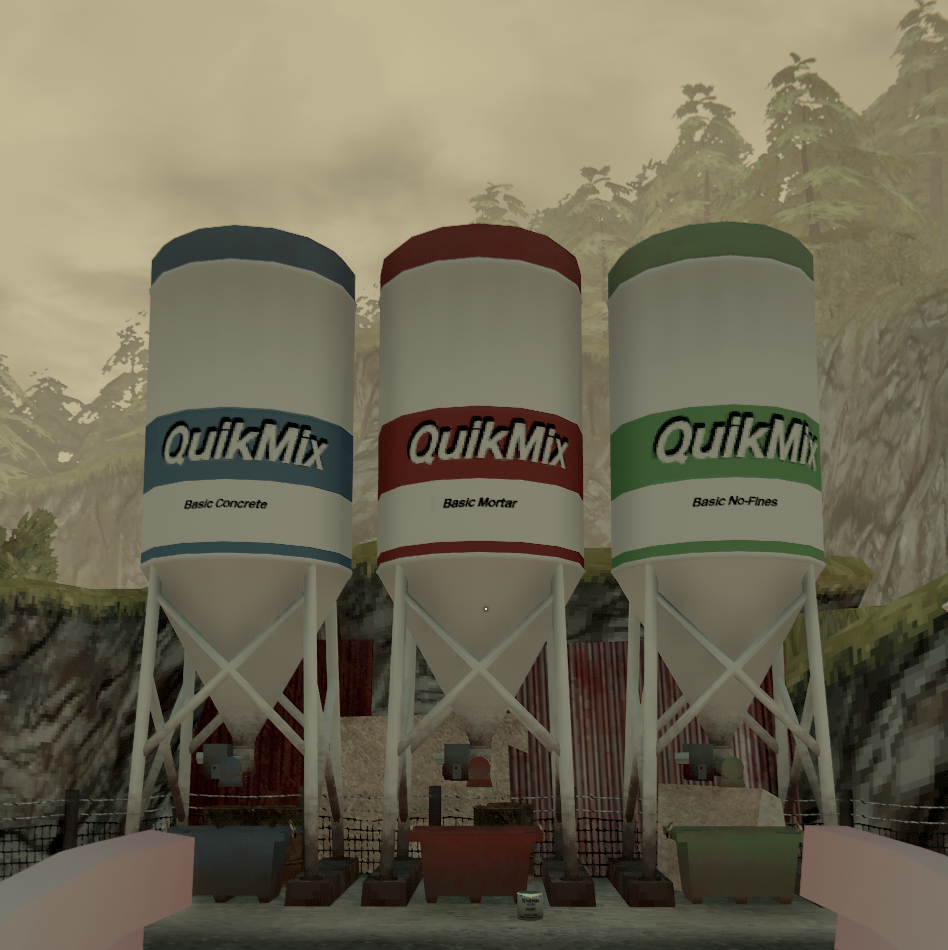
Added Concrete, Mortar & No-Fines Silos, purchasable from Mitchell’s Catalogue
Mortar & No-Fines no longer infinite on Debug Enabled
Fixed Tile / Carpet placement on upper floors of the house
0.05.11

Fixed incorrect icon showing for a Paint Brush tool tip
Optimisation work on Shingles and Bricks
Player input should now be locked during eye closing transitions
Fixed issue where players could order site demolition without the required funds
Added Site Tiling Service to the Mitchell Catalogue
Adjusted AI Driving line to try and stop Winston crashing into the wall
Fixed Tall (0.6m) Traditional Window frame issue
Fixed Tall (0.6m) Traditional screw issue
Potentially fixed code that wasn’t firing for “slimming down” colliders on plasterboard, SHOULD mean plasterboard placement issues no longer pop up
0.05.10

Added ability to demolish site (See Mitchell’s catalog in front of the big man himself)
Fixed Blank tape unlock issue.
AI Cars & Lorry exterior now accumulate snow
Fixed birck task complete check not completing if a Large (Small) window frame was used
Fixed Large Functional Window (Small) screw placements
Fixed Snow glare
Added Ability to bulldoze the property (accessed through Mitchell’s document in front of his desk)
0.05.09

Fixed Screws for Window_01_Large_B
Fixed Curtains
Fixed text issue on windows in the Building Catalogue
Fixed Small Traditional Windows loading in the incorrect mesh
Fixed plasterboard placement for both 0.2m No-Fines frames
Slimmed down placement colliders on plasterboard to try and solve some placement issues
Fixed a bunch of No-Fines collider sizes which prevented plasterboard placement in specific situations
Fixed Cement, Aggregate and Sand bags found in the world acting weirdly when placed in WheelBarrow
Removed Cloth physics from Cement, Aggregate and Sand bags
Fixed No-Fines collider resizing on placement, which would allow for No-Fines to be placed overlapping one another
Fixed Green & White Tall (Small) window issues
Fixed missing Staining on Traditional windows
Fixed missing glass on small (medium) Traditional window
Fixed max order number for Roof Frames in the Building Catalogue
0.05.08

Fixed Roof Frame collision placement issues
 Fixed Roof frame orientation issue
Fixed No-Fines placement issue
Fixed a save issue tied to curtains
Fixed curtain nails loading in huge
Fixed curtain render issue
0.05.07

Fixed Small (medium) Post-Modern Window placement snap issue
Fixed tool tips for Paint Brush
Fixed Medium (Medium) Functional Window screw and window position
Fixed more plasterboard placement mis-alignment issues (Specifically tied to windows)
Fixed No-Fines placement state allowing overlap
Fixed various items not being collected on site clearance
Tenants can now answer all doors on the property
Tenants no longer remark on player smell when angry about property damage
Fixed Standing Lamp delivery issues
0.05.06

Fixed sink task not completing (Requires re-securing the sink)
Fixed furniture doors not closing on pickup
Fixed bolster not being sheathed on hammer drop
Cleaned up some mortar rendering issues with bricks and no-fines
Rewrote Mitchell dialogues to accommodate new features
Fixed Door and Window task caused by load issue
Fixed screws on small(small) functional windows
Fixed Furniture catalogue index navigation issues
Fixed Shingle rotation issue
Fixed Tall (medium) Brass Post-Modern window frame appearing incorrectly
Fixed Roof Frame placement issue when placed on frames of a certain angle
Fixed an issue where Roof Frames couldn’t be angled correctly after backing out of placement state
Fixed various Furniture catalogue UI issues
Fixed furniture not staying secured on load - and associated tenant issues tied to that
0.05.05

Fixed mesh on Small (wide) traditional window sets
Fixed general furniture placement issue
Fixed furniture roof ground placement issue
New Rotation solution for furniture placement, tap rotate for 90 degree angles, hold rotate with mouse movement for specific rotation
Plasterboard task no longer counts loose plaster frames
0.05.04B

Reworked how No-Fines task is calculated and completed to make it more accurate
0.05.04

Fixed load issue caused by missing UI reference (Nargin issue)
Fixed Post-Modern Window being listed as Post-Modern Staircase
Fixed Screws on Post-Modern Medium (Medium) Window
Fixed Crash caused by closing unsecured windows
Fixed Interior Door Wood Frame not rendering at correct height
Fixed plasterboard snap placement issue on Single Pillar No-Fines
Fixed plasterboard snap placement issue on Door No-Fines
Right click no longer rotates Flat Shingles, instead shifts it’s position slightly
Fixed plasterboard snap placement issue on Medium Window (medium size) No-Fines Frame
Fixed plasterboard snap placement issue on Small Window (medium size) No-Fines Frame
Fixed No-Fines build task uncompleted when picking up a loose No-Fines frame
Fixed Build Task checks (Roof / Window & Doors) that prevented the furniture catalogue from being unlocked
Jimmy no longer talks about Roof Task
0.05.03

Added Smoking item name and details
Returned “out of bounds” bubble
Fixed screws on Functional medium window
Fixed Post-Modern Back door color consistency
Fixed Cement, Aggregate, Sand bags acting suspiciously in the environment
Fixed White, Black and Oak small (medium) sized windows not fitting into the No-Fines space allocated
Fixed area of the building site where brick and foundations couldn’t be placed
Fixed a rounding error that would mean foundations would continue to render their frame
Cement mixer added color should now reset when emptied
Fixed missing ground mortar for breeze blocks
Fixed area where players couldn’t place bricks
Fixed invisible mortar spots at the bottom of the starting breeze block wall
0.05.01

Increased tippy-toe max height from 2.0 to 2.5
Raised height of the Work Platform
These changes were needed to allow easier working with brickwork indoors. 
Removed the iron girder above support wall
Removed this as it allows players to place brick walls within the house as they please (or replace the old support wall with plaster walls, or remove it entirely to open up the property)
Removed the Interior Support Wall build task
Smoothed visuals on mortar blobs
Added Plaster Frames
Added Hot Bar
Hot bar allows better handling of things like changing mortar size, or frame size. Preventing the need to cycle through these selections with the RMB. 
Added Trowel Hot Bar functionality
Added Plaster Frame Hot Bar functionality
Added Plasterboard Hot Bar functionality (Rendering against brick only) 
Fixed save corruption caused by nail errors
The starting house is now slightly shorter, to allow for brick wall placements inside
Plasterboards and wall frames also needed resizing to fit this change
Fixed Magazine Rack item details name & description
Now much easier to place windows (windows will snap to correct height)
Added several new Newspapers
Newspapers delivered daily, with dynamic news headlines and tool tips
Newspapers now readable without skipping time
Fixed medium “Red haired lady” picture not being delivered correctly
Curved shingle halved in size (for new roofing)
Shingles can now be cut in half with the Circular Saw & Brick Bolter
Raised height of property area bedrock
Fixed a load of Building Supplies, Tools & Furniture Catalogue navigation issues
HUD UI now closer to outer edges
HUD UI no longer blocks Catalogue UI
Repositioned the Phone Dialogue bubble to prevent it from blocking UI view
Wealth UI while browsing catalogue now shows the title Wealth
Pause menu size reduced by 15% to prevent clipping with HUD elements
Various alignment issues fixed with the HUD
Fixed resolution of the catalogue selection UI
Fixed Bedroom Index navigation issues (furniture catalogue)
Furniture catalogue now better displays the selected style of furniture players are about to purchase
Added Curtains to the Furniture Catalogue
Fixed issue where Shingles loaded in would all look the same
Can now order Roof Frames from the Building Supplies catalogue
Can now order Roof Underlay from the Building Supplies catalogue
Totters Roof Job
Updated job to use the new Roofing system
Job now provides required supplies each time it is undertaken
Fixed issues with Job completing too soon / not completing at all
Fixed issue where Totter would give player the music tape again on multiple job completions instead of paying the player
Fixed issue where left over supplies would float next to the church after completing the Totter roof job
Fixed issue where jobs could be posted when not available
Base chance for residential damage (church roof, kashmiran foundations, tamsin’s wall) increased from 10% to 30%
NPCs no longer always sad / happy during conversation if the player talks to them while they smell
Paint colours have been redone for better range of colours, easier to match toward furniture and easier to mix colour ranges
Paint colours now better reflect the colour that ends up on the canvas
Plasterboard has been reworked to work with the new Wall placement and Roof placement systems
Added Wood paneling that can be applied to wall frames and roof frames
Optimized performance of collision checks on various items
New No-Fines Damage effects that show appropriately coloured chipping particles
Fixed some instances of No-Fines not producing correct debris when broken
Added new Roofing Tiles (Carlyle Clay, Flat Slate & Curved Slate)
New improved art for Bricks
Rebalanced various interactions to use significantly less energy
World Ambient audio delay spacing increased from 15-30 seconds to 45-240 seconds
Updated Minimum build requirements to accommodate the new Free Build system
Pallets that load in should no longer float
Fixed a long standing audio bug tied to the spanner (wrench)
Fixed issue where leaving half a pint on the bar, then ordering another from Tamsin could soft-lock the game
Better Aggregate, Sand & Cement bag visuals
Fixed issue where shovelling dirt into foundations would fill them as if using concrete
Text throughout the speech bubbles in the game should appear much crisper
Foundation Frames will now load in foundation stakes where they were previously placed and saved
Saving foundation frames is a can of worms so I’m hoping this is a better solution to simply losing the frame all together.
New ceiling and roof materials
Ceilings can now be painted with save and load support
Fixed issue where player couldn’t pickup a new colour of No-Fines if their trowel was full
0.05.00

Foundation tutorial text found within the Notebook has been updated to reflect the previous changes to foundation frames.

Buy, sell and trade houses with other players!

Month 21 of Landlord’s Super Early Access.

The Free Build update will release soon (mid Feb). An extraordinary amount of work has gone into this update. If you haven’t played since the start of Early Access, Free Build provides a completely new experience. Read on to see what we’ve been working on.

The Quintessential Construction Simulator

Buying & Selling Property

Players have been asking for more properties since the start of Early Access. With the coming release of the Free Build update, they will finally be able to buy, sell and trade properties with one another. 

For performance reasons, we’re unable to allow the loading of more than 1 property in the game world at a time. This is unfortunately a concession that needs to be made with a construction game with as much depth and complexity as Landlord’s Super. This implementation method was chosen to give players the ability to build multiple properties, but without needing to reduce the depth and complexity of the construction elements in the game. Hopefully it’s a compromise players are happy with.

For the initial Free Build update release, players wanting to purchase properties will need to either build and sell them themselves, or trade with other players. We do plan on adding a selection of “fixer-upper” properties, but right now our focus is on bug-fixing and implementing missing features. That said, if any of you want to send over save files for a half-finished property that you think would make a fun fixer-upper, feel free to send them over and we’ll add them to the game.  

Annoying Stuff

If you’ve kept abreast of the patch notes the last few weeks, you’ll see that we’re finally making time to fix a lot of long standing and annoying features in Landlord’s Super. 
The Pallet Truck was causing players trouble with unloading their goods, so we’ve rewritten and reworked it to be far more reliable.
Dropping items has also been reworked. Players will now only damage thrown items and the property when launched with maximum charge. Essentially allowing them to place items down without worry.
The UI “Bowels” is now written as “Bladder”. This wasn’t a spelling mistake, originally there was going to be poop functionality in the game, but that has since been cut. 
The holding positions of certain items blocking view have also been adjusted so players can better place them. Work on the “annoying stuff” like this will continue over the coming months as the final game comes together. We appreciate the patience with this stuff!

Shiny and Rain Effects

Many objects now have metallic or specular maps allowing them to react realistically to lighting and reflections. Rain now also works similarly to snow, in that it persists within the environment through wetness depending on the current rain intensity.

Jalopy on Wikipedia

Thanks to MeblIQ’ERE for pointing out that Jalopy has it’s own page on Wikipedia. It’s touching to see that the game continues to leave a little digital footprint for players.
https://en.wikipedia.org/wiki/Jalopy_(video_game)

We Got a Bug Report Through the Post

This was great to receive, thank you Mikale and keep an eye on your post for our reply!

The community have been busy building throughout December

Month 20 of Landlord’s Super Early Access.

In-between fixing bugs, introducing silos & mortar colour to Landlord’s Super, we’ve been busy with Yogscast’s Jingle Jam and visiting family for the Holidays.

The Quintessential Construction Simulator

Free Build Fixes

Majority of the work this month has been focused on attending to issues within the Free Build In Development version. With build 0.5.12, we’re now at the point where most of the significant issues are addressed and we can focus on getting the rest of the content in and pushing the update into the main branch. 

Mitchell Catalogue

To address the complaints of tedium and repetition in the game, we’re introducing the Mitchell Catalogue (or Document more specifically).
Mitchell’s catalogue provides the player with options in automating some of the more boring tasks (like demolishing the site and tiling exposed roof planks). The catalogue also provides opportunities for players to sell properties to the council, the option for players to retire into their home (end game state), and some more purchase opportunities like Pre-Mixed Silos.

Pre-Mixed Silos

Through Mitchell’s catalogue, players also have the option to purchase the Concrete, Mortar & No-Fines Silos. Once purchased, the Silos will appear at the Tool Shed, providing players with unlimited access to each.
Different strengths of mixture can be purchased as the player earns more money. To use the silos, players need simply push a button, and the silo will begin to fill the tub below it. Each tub has a maximum volume of 1000ltrs and can even be moved using the Pump Truck. 

Mortar Colour

With the introduction of new bricks to the Free Build update, it became clear we’d need to re-introduce mortar colour. Originally removed for performance, we think we’ve got a good solution in place for this. Though if you do find you’re experiencing poor performance, be sure to email Greg (greg@minskworks.net) with your save data and a brief explanation on the issue.

Mortar Colour can be changed the same as Concrete & No-Fines; by simply pouring paint into the mixture.

Jingle Jam

A huge thank you to everyone who supported this year’s Jingle Jam and the Yogscast for running the event. The total raised for various charities was a jaw dropping $4,432,436.89. A great way to end the year!